
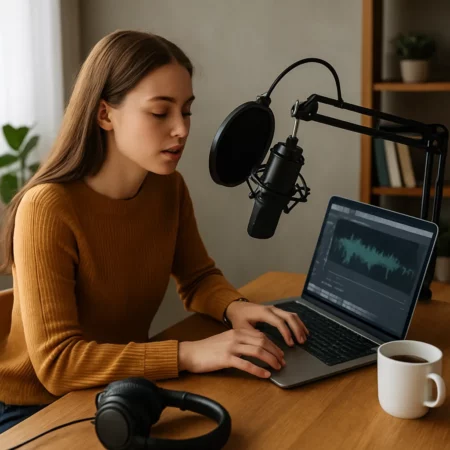
Audiobooks aren’t just for bestselling authors anymore. With the rise of AI narration and easy-to-use platforms, anyone can create audiobooks online—even without a professional studio, narrator, or budget. Whether you’re an author looking to expand your reach, a blogger repurposing content, or a side hustler hunting for passive income streams, audiobooks offer an exciting opportunity to get your voice (literally or virtually) into the ears of a global audience.
In this guide, we’ll show you exactly how to turn your written content into a high-quality audiobook using today’s most powerful tools—no tech experience required. From free AI software to step-by-step publishing strategies, you’ll learn everything you need to bring your audiobook to life and start selling it across platforms like Audible, Spotify, and beyond.
Why You Should Create Audiobooks Online
Audiobooks are no longer just an optional format—they’re a booming industry. In fact, the global audiobook market is projected to surpass $35 billion by 2030, thanks to the growing demand for on-the-go content. From commuters and multitaskers to visually impaired readers, more people are choosing to listen rather than read.
Here’s why now is the perfect time to create audiobooks online:
Expanded Reach: Audiobooks let you tap into new audiences who prefer listening over reading.
Passive Income Potential: Once recorded and uploaded, your audiobook can generate revenue on platforms like Audible, Google Play Books, and Spotify.
Repurpose Existing Content: If you’ve already written a blog, book, or guide, turning it into an audiobook is a smart way to extend its value.
Low Barrier to Entry: Thanks to AI tools and mobile-friendly apps, creating an audiobook no longer requires a studio or steep learning curve.
And if you’re already publishing through Amazon KDP, creating an audiobook version can multiply your visibility and profits. Learn how to optimize your publishing process with our guide:
👉 Mastering Amazon KDP: Key Steps to Successfully Publish and Profit in 2025
Up next, we’ll walk you through the entire process of turning your written content into a fully produced audiobook—step by step.
How to Make an Audiobook Online (Step-by-Step)
Ready to transform your written content into a professionally produced audiobook? Whether you’re an author, blogger, or side hustler, this step-by-step guide will walk you through the entire process of how to create audiobooks online—without a recording studio or massive budget.
Step 1: Prepare Your Script or Manuscript
Start with a clean, edited version of your content. Whether it’s a blog post, an eBook, or a full-length novel, make sure your writing is:
Free of typos
Formatted for easy reading
Broken into short, natural sentences for audio delivery
💡 Tip: If you’re adapting a book published through Kindle Direct Publishing (KDP), you already have a perfect starting point. Learn how to get your book on Amazon with our step-by-step KDP publishing guide.
Step 2: Choose Your Narration Style (Human vs. AI)
There are two main options:
AI narration: Fast, affordable, and surprisingly realistic with tools like Murf.ai, Play.ht, or ElevenLabs.
Human narration: Offers emotional depth and personality, but is more time-consuming and expensive.
We’ll break these down further in a later section.
Step 3: Record or Convert Using Audiobook Tools
Depending on your chosen method:
For AI, simply paste your script into platforms like Speechify or Play.ht, select a voice, and export the audio.
For manual narration, use software like Audacity (free), GarageBand (Mac), or Adobe Audition.
Step 4: Edit and Master Your Audio
Clean up background noise, adjust pacing, and ensure consistent tone and volume. Many tools offer built-in editing or allow post-production tweaks:
AI platforms like Descript offer overdubbing and automated editing.
Audacity or Reaper are excellent for manual adjustments.
Step 5: Format to Meet Publishing Standards
Most platforms require:
MP3 files
Mono channel
192 kbps bitrate
Each chapter in a separate file
Opening and closing credits
You can find detailed requirements on platforms like ACX.
Step 6: Upload and Publish
Once your audiobook is ready:
Choose a distributor like ACX, Findaway Voices, or Authors Republic
Set pricing and royalties
Start selling on platforms like Audible, Amazon, iTunes, and Spotify
Best Tools to Create Audiobooks Online
Whether you’re using your own voice or leveraging the power of AI, there are incredible tools available to help you create professional-quality audiobooks without leaving your home. Below is a curated list of the most effective platforms, broken down by use case:
AI-Powered Audiobook Creation Tools
These platforms use advanced text-to-speech technology to generate lifelike narration:
🎧 Murf.ai
Best for: Podcasts, audiobooks, and training content
Pros: Natural-sounding AI voices, team collaboration features, voice cloning
Cons: Can be pricey at higher tiers
🗣️ Play.ht
Best for: Quick and scalable audiobook production
Pros: Over 100+ voice options in multiple languages, export to MP3/WAV
Cons: Editing interface is basic
🤖 ElevenLabs
Best for: Ultra-realistic narration
Pros: Emotion-infused AI speech, voice cloning, developer API access
Cons: May require some technical setup
✍️ Descript
Best for: Podcast-style audiobooks and voice editing
Pros: All-in-one editor with automatic transcription, overdubbing
Cons: More suitable for short-form content
🔊 Speechify
Best for: Beginners who want a fast and easy tool
Pros: Chrome extension, mobile app, browser-based editor
Cons: Limited features unless on a paid plan
Manual Recording & Editing Software
If you prefer to record your own voice or hire a narrator, these tools are essential:
🎙️ Audacity
Free and open-source, perfect for beginners
Offers basic editing, noise removal, and MP3 exporting
🎛️ GarageBand
Free for Mac users
Easy to use for voice recording with music/effects layering
🎚️ Reaper
Pro-grade DAW with a generous free trial
Steep learning curve, but highly customizable
🎼 Adobe Audition
Industry standard for audio production
Ideal for users with professional editing needs
All-in-One Audiobook Platforms
Some platforms combine narration tools with direct publishing and formatting options:
📚 Narakeet
Converts text into audio and video presentations
Suitable for courses, guides, and short audiobooks
📖 Google Play Books Partner Center
Offers audiobook publishing alongside ebooks
Great for international exposure, especially Android users
Can I Create My Own Audiobook? (Yes, Here’s How)
Absolutely—you can create your own audiobook, and it’s easier than ever thanks to user-friendly software, affordable tools, and online distribution platforms. Whether you’re narrating your book in your living room or using AI to handle the voice work, the DIY path is wide open.
Here’s how to do it on your own terms:
1. Record at Home with Basic Equipment
You don’t need a fancy studio. A quiet space and a few low-cost tools can produce surprisingly professional results:
Microphone: Start with a USB mic like the Blue Yeti or Samson Q2U
Pop filter: Helps reduce plosives (the “P” sounds)
Headphones: For clean playback and editing
Record using Audacity (free), GarageBand, or even your smartphone with apps like Voice Record Pro (iOS) or Dolby On (iOS/Android).
2. Use AI Narration if You Don’t Want to Record Yourself
If you’re not confident in front of a mic or want to save time, AI voice platforms like Murf.ai or ElevenLabs can narrate your entire script for you. These tools let you choose from hundreds of voice options and export high-quality MP3 files.
3. Edit and Polish Your Audio
Once your audio is recorded or generated:
Trim silence or mistakes
Normalize volume
Remove background noise
Export in MP3 format with the correct bitrate (192 kbps, mono)
Tools like Descript or Auphonic can automate a lot of this for you.
4. Upload to Audiobook Platforms
When your audiobook is complete, you can self-publish directly through:
ACX (for Audible, Amazon, iTunes)
Findaway Voices (for wide distribution)
You’ll need to provide:
Your audio files
A book cover image (2400 x 2400 px)
Title, subtitle, author info, and description
💡 Already selling your eBook on Amazon? Syncing your print, Kindle, and audiobook versions can increase your visibility—and earnings. Learn more in our Amazon KDP guide.
Creating your own audiobook isn’t just possible—it’s profitable. And whether you’re using your own voice or leveraging the latest in AI tech, you have more control than ever before.
Coming up next: A side-by-side look at AI narration vs. human voice—so you can choose the best method for your goals and budget.
AI Narration vs Human Voice – Which One Should You Use?
One of the biggest decisions when creating an audiobook is choosing who—or what—will narrate your story. Thanks to the rise of AI voice technology, you now have two compelling options: record your own voice (or hire a narrator) or use advanced AI text-to-speech software.
Here’s a side-by-side comparison to help you decide:
| Feature | AI Narration | Human Voice |
|---|---|---|
| Cost | Low – Often free to ~$100/month | Higher – $50 to $400+ per finished hour |
| Speed | Very fast – Minutes to produce an entire audiobook | Slower – Can take days or weeks |
| Emotion | Improving, but still limited | Highly expressive and natural |
| Editing | Automated and easy to revise | Manual – Requires time and audio skills |
| Best for | Nonfiction, guides, business books | Fiction, memoirs, emotional storytelling |
| Platforms | Not all distributors accept AI narration (e.g., ACX) | Universally accepted |
When to Choose AI Narration
You want to publish fast and on a tight budget
You’re creating nonfiction, how-to content, or technical guides
You don’t feel comfortable narrating your own book
Platforms like ElevenLabs, Murf.ai, and Play.ht offer stunningly realistic AI voices, with features like:
Custom voice cloning
Multilingual options
Emotion-infused speech
⚠️ Note: As of now, ACX (Audible/Amazon/iTunes) does not accept AI-narrated audiobooks, but other platforms like Findaway Voices and Authors Republic do.
When to Choose Human Narration
You’re narrating a fiction book or want strong emotional delivery
You have a distinctive voice or fanbase
You plan to sell on ACX or platforms that require human narration
You can record the audiobook yourself using tools like Audacity or hire professional voice actors via:
Still unsure? You can always test both: create a short AI-narrated sample for free and compare it to a basic home recording. See which feels more authentic to your message—and your audience.
Next up: Let’s look at ACX in more detail and answer a common question—Does Audible accept AI narration?
Does Audible Accept AI-Narrated Audiobooks?
If you’re considering AI narration to save time and money, one of the first questions you’ll likely ask is: Can I publish an AI-generated audiobook on Audible?
The short answer: Not yet.
❌ Audible’s Policy via ACX
Audible’s self-publishing platform, ACX, currently does not accept AI-narrated audiobooks. Their guidelines require human narration, and projects must pass a manual audio quality review before being approved.
From the ACX Audio Submission Requirements:
“ACX is a marketplace for human-narrated audiobooks. Submissions using synthetic voices or text-to-speech technology are not permitted at this time.”
This means if you plan to publish your audiobook on Audible, Amazon, or iTunes, you’ll need:
A human narrator (you or a hired voice actor)
Audio that meets their technical specs (MP3, mono, 192 kbps, -3 dB peak, etc.)
✅ Platforms That Do Accept AI Narration
Fortunately, Audible isn’t your only option. These platforms are more flexible and allow AI-narrated content:
Findaway Voices – Offers wide distribution to Spotify, Chirp, Apple Books, and more
Authors Republic – Distributes to 50+ stores, including Google Play and Scribd
Google Play Books – Allows AI narration via its own tools (in select regions)
These options give creators the freedom to use AI narration legally and profitably, especially for nonfiction and how-to genres where emotional range isn’t as critical.
Pro Tip:
If you’re dead set on publishing to Audible, consider a hybrid approach:
Use AI narration to create a rough draft
Use that draft to guide a human narrator (or yourself) for the final recording
This cuts down on recording errors and speeds up production—without violating any platform rules.

Where to Publish Your Audiobook
Once your audiobook is complete—whether narrated by you, a professional, or an AI voice (where accepted)—you’re ready to publish. But where should you distribute it? Here’s a look at the top audiobook publishing platforms, what they offer, and how to choose the right one based on your goals.
1. ACX (Audible, Amazon, iTunes)
acx.com
Owned by Amazon, ACX is the most popular choice for authors targeting Audible, Amazon, and iTunes.
AI Narration Allowed? No
Royalty Rates:
Exclusive distribution: 40%
Non-exclusive: 25%
Best For: Human-narrated audiobooks targeting Audible’s massive listener base
Bonus: ACX offers a Royalty Share program, where narrators split earnings with authors (great if you’re on a budget)
2. Findaway Voices
findawayvoices.com
A non-exclusive distributor that places your audiobook in Spotify, Chirp, Kobo, Apple Books, Google Play, and 40+ others.
AI Narration Allowed? Yes
Royalty Rates: Varies by retailer (you keep 80% of what Findaway receives)
Best For: Wide distribution, AI-friendly publishing, and control over pricing
3. Authors Republic
authorsrepublic.com
Another wide-reaching platform that distributes to 50+ global audiobook retailers, including Scribd and Audiobooks.com.
AI Narration Allowed? Yes
Royalty Rates: 70% of net received from retailers
Best For: Non-exclusive authors who want the broadest reach without managing multiple accounts
4. Google Play Books
Google Play Books Partner Center
Great for international exposure, especially on Android devices.
AI Narration Allowed? Yes (via their native narration tool in some regions)
Royalty Rates: Up to 70%
Best For: Reaching Android users, pairing eBooks and audiobooks in one ecosystem
5. Kobo Writing Life (Audiobooks)
kobowritinglife.com
Kobo offers audiobook distribution alongside their eBook platform.
AI Narration Allowed? ✅ Yes
Royalty Rates: Up to 45%
Best For: International reach (especially in Canada and Europe)
Quick Comparison Chart
| Platform | AI Allowed | Royalty Rate | Distribution Type |
|---|---|---|---|
| ACX | ❌ | 25–40% | Exclusive & Non-excl. |
| Findaway Voices | ✅ | ~80% of net | Wide (Spotify, Apple, etc.) |
| Authors Republic | ✅ | ~70% of net | Very wide (50+ stores) |
| Google Play Books | ✅ | Up to 70% | Android-first, global |
| Kobo Writing Life | ✅ | Up to 45% | eBook + Audiobook bundle |
Pro Tip: Start Wide, Then Go Exclusive (If It Makes Sense)
Publishing wide through platforms like Findaway Voices or Authors Republic gives you broad exposure across many marketplaces. Once you know where your audiobook performs best, you can consider going exclusive for higher royalties on select platforms.
Does ACX Really Pay?
Yes—ACX absolutely pays, and for many self-published authors and narrators, it can be a steady source of passive income. But how much you earn depends on a few important factors: distribution choice, pricing, and whether you’re narrating or hiring out.
Here’s how it works:
ACX Royalty Structure
ACX offers two main royalty models depending on whether you choose exclusive or non-exclusive distribution:
| Distribution Type | Royalty Rate | Available On |
|---|---|---|
| Exclusive | 40% | Audible, Amazon, iTunes (via ACX) |
| Non-Exclusive | 25% | Same platforms, but you can also distribute elsewhere |
➡️ Exclusive gives you a higher cut but locks you into ACX for 7 years.
How Much Can You Earn on ACX?
Let’s say you price your audiobook at $10:
Exclusive distribution (40%) = You earn $4 per sale
Non-exclusive (25%) = You earn $2.50 per sale
Now multiply that by consistent monthly sales—just 100 sales per month could mean:
$400 (exclusive)
$250 (non-exclusive)
And remember: your audiobook never goes out of print. That’s passive income that can build over time as your marketing, author platform, or content visibility grows.
Royalty Share Program (Pay Nothing Upfront)
If you don’t want to narrate or pay out-of-pocket, ACX offers a Royalty Share option where a professional narrator records your audiobook at no upfront cost. You then split royalties 50/50.
Pros:
No upfront expense
Narrators are motivated to help you market
Cons:
Exclusive to ACX for 7 years
Only available if a narrator accepts your project
Real-World Expectations
While some authors make thousands per month on ACX, most new creators earn modest passive income, especially early on. Success depends on:
Audience size
Book quality
Keyword optimization (yes, even for audiobooks!)
Consistent marketing
💡 Already have a Kindle book published? Linking your eBook and audiobook on Amazon can increase visibility and conversion rates.
What Apps Can You Use to Create an Audiobook?
If you’re working from your phone or prefer an app-based workflow, you’re in luck. There are several powerful (and often free) apps that let you create audiobooks on the go—perfect for side hustlers, digital nomads, or anyone who doesn’t want to sit at a desktop for hours.
Here are the top apps for recording, editing, and managing your audiobook content:
1. Voice Record Pro (iOS)
Download on the App Store
A favorite among mobile content creators, this app allows you to:
Record in MP3, WAV, or AAC formats
Add bookmarks, tags, and metadata
Trim and edit recordings within the app
Export directly to Google Drive, Dropbox, or SoundCloud
Best for: iPhone/iPad users who want full-featured recording and editing.
🎙️ 2. Dolby On (iOS & Android)
Download from Dolby
Dolby On enhances your voice recordings automatically with noise reduction, EQ, and compression.
Auto-leveling and sound optimization
Great for recording in less-than-ideal environments
Easy to export to other editing software
Best for: Beginners who want clean, professional sound with minimal editing.
3. Descript (Desktop & Mobile Browser-Based)
Try Descript
Though primarily desktop-based, Descript works well on tablets and laptops and offers:
Overdubbing with AI voices
Screen recording
Audio editing via text editing interface
Instant transcription
Best for: Audiobook creators who want to blend AI and human narration workflows.
4. Soundtrap by Spotify (Web & Mobile)
Explore Soundtrap
A collaborative, cloud-based audio editor with a sleek mobile app. Features include:
Multitrack recording
Podcast templates
Real-time collaboration
Cloud autosave
Best for: Team projects or authors who want to collaborate with editors or narrators.
5. Hokusai Audio Editor (iOS Only)
Download Hokusai
Simple but powerful, Hokusai offers:
Multitrack editing
Intuitive touch controls
Reverb, fade, normalize, and more
Great export options for audio formats
Best for: iOS users who want a lightweight, on-the-go editor.
Bonus Tools for Scriptwriting & Prep:
Google Docs – For script collaboration and formatting
ChatGPT – For editing, summarizing, or rewriting content to fit the audiobook format
💡 Pro Tip: Combine a mobile recording app with a cloud-based editor like Descript or Audacity for a streamlined mobile-to-desktop workflow.
Can ChatGPT Create Audiobooks?
While ChatGPT can’t directly produce audio files, it can play a powerful behind-the-scenes role in the audiobook creation process. Think of it as your personal script assistant, content editor, and creative collaborator—all in one.
Here’s how to use ChatGPT to help you create audiobooks online, even without recording a single word yourself:
1. Script Writing & Rewriting
Use ChatGPT to:
Draft audiobook scripts from blog posts, eBooks, or long-form articles
Reword technical content into conversational narration
Break content into chapters or voice-friendly sections
💡 Want your nonfiction blog post to sound like a friendly guide? Ask ChatGPT to rewrite it in a spoken tone that fits your audience.
2. Summarizing & Condensing Content
If your written material is too long or needs trimming, ChatGPT can:
Summarize chapters for shorter audio segments
Identify repetitive sections to cut
Suggest new structures or outlines for better listening flow
3. Preparing for Narration (Human or AI)
ChatGPT can:
Add stage directions (e.g., pauses, tone cues)
Flag phrases that are hard to pronounce
Convert dialogue-heavy sections into smoother scripts
This is especially useful if you’re using text-to-speech software like ElevenLabs or Murf.ai that work best with naturally phrased content.
4. Integrating with AI Narration Tools
While ChatGPT doesn’t generate audio, you can:
Use ChatGPT to finalize your script
Copy that script into an AI narration platform (like Play.ht, Murf.ai, or Speechify)
Export your audiobook file as MP3
🛠️ Many creators use this method to quickly turn blogs or books into narrated content for Spotify, YouTube, or audiobook stores that accept AI narration.
5. Iterative Editing
Need a second version of a chapter? Want a more upbeat tone? ChatGPT can quickly:
Rephrase content in different tones (motivational, educational, humorous)
Localize content (e.g., U.S. vs. U.K. spelling)
Break up longer sections for easier listening
What ChatGPT Can’t Do (Yet):
Create audio files (you’ll need separate tools for that)
Replace human voice acting for emotional fiction
Format audio to meet ACX or distributor standards
In short, ChatGPT is the perfect companion for planning, prepping, and polishing your audiobook script. It’s especially useful for solo creators and side hustlers who want to speed up the production process and minimize outsourcing costs.
Cost to Create an Audiobook Online
One of the biggest reasons more creators are turning to audio? It’s never been more affordable to get started. Whether you’re bootstrapping your first project or investing in a high-quality production, there’s a price point for every budget.
Here’s a detailed breakdown of what it actually costs to create audiobooks online using different methods.
1. AI Narration (Low-Cost & Scalable)
Using AI to narrate your audiobook is one of the most budget-friendly approaches.
| Platform | Estimated Cost | Notes |
|---|---|---|
| Play.ht | Free plan (basic) / $39–$99/month | Pay per word or unlimited voice usage |
| Murf.ai | Free trial / $19–$59/month | Studio-grade AI with commercial rights |
| ElevenLabs | Free tier / $5–$99/month | Ultra-realistic AI voices |
| Speechify | Free basic / $139/year premium | Browser-based, simple interface |
Total cost: As little as $0 to ~$99 depending on features and monthly usage limits
✅ Best for nonfiction, how-to, technical content, and creators on a budget
2. DIY Narration (Budget-Friendly with Time Investment)
If you record the audiobook yourself, your biggest investment will be time, not money.
| Item | Estimated Cost |
|---|---|
| USB Microphone (Blue Yeti, Samson Q2U) | $50–$120 |
| Pop Filter & Stand | $10–$25 |
| Recording Software (Audacity, GarageBand) | Free |
| Editing Software (optional: Descript, Auphonic) | Free–$30/month |
Total cost: $50 to $150 (one-time), plus your time
✅ Best for creators who want full control and already have a decent mic or podcasting setup
3. Hire a Professional Narrator (High Quality, Higher Cost)
Hiring a voice actor is the most expensive but also the most professional route.
| Narrator Type | Cost Per Finished Hour (PFH) |
|---|---|
| Beginner narrator | $50–$100 |
| Mid-level pro | $100–$250 |
| Celebrity voice / top-tier | $300–$500+ |
💡 A typical 30,000-word book is about 3.5 hours finished, so a mid-level narrator would cost you $350–$875.
Total cost: $200 to $2,000+ depending on narrator, length, and editing needs
✅ Best for fiction, memoirs, or authors building a premium audio brand
4. Royalty Share via ACX (No Upfront Cost)
If you use ACX’s Royalty Share model, you can get your audiobook produced for $0 upfront, splitting royalties 50/50 with the narrator.
Total cost: Free (but limited to ACX + lower royalty rate)
Other Potential Costs
Cover design for audiobook (2400 x 2400 px): $25–$100
Distribution fees (Findaway Voices takes 20% of retailer share)
Sound mastering (if outsourced): $50–$300
Which Option Is Right for You?
| Budget | Best Option |
|---|---|
| $0–$100 | AI narration, DIY mic setup |
| $100–$500 | DIY with editing or voice actor (short book) |
| $500+ | Hire a professional narrator |
| No budget, want Audible? | ACX Royalty Share |

Final Thoughts – Is It Worth Creating Audiobooks Online?
Absolutely. Whether you’re a self-published author, content creator, blogger, or entrepreneur, now is the perfect time to create audiobooks online and tap into one of the fastest-growing media formats in the world.
With the rise of AI-powered tools, free editing software, and on-demand distribution platforms, the barriers to entry have never been lower. What once required a studio, sound engineer, and hefty budget can now be done with a microphone, a laptop, or even just your browser.
Here’s what makes audiobooks worth your effort:
Massive Audience Potential: The audiobook market is booming—people are listening on commutes, workouts, and during daily chores.
Passive Income Opportunity: Once created, audiobooks can generate income for years with very little ongoing effort.
Repurpose Existing Content: Turn your blog posts, newsletters, or eBooks into engaging audio content.
Tools Are Beginner-Friendly: Whether you prefer DIY, AI narration, or hiring a pro, there’s a tool for every skill level and budget.
Still unsure where to start? Begin small:
Test a short chapter or blog post using a free AI tool.
Record a 10-minute audio sample using your phone and Audacity.
Explore platforms like Findaway Voices or Authors Republic that accept AI content.
And if you already publish on Kindle or print via Amazon? Consider bundling your audiobook to maximize your visibility and earnings. Our guide to Mastering Amazon KDP walks you through every step.
✅ Take Action Today
Don’t let perfection hold you back. Your voice—or your words, narrated by AI—could be exactly what someone is waiting to hear. So go ahead. Create your audiobook. Share your message. Start earning.