
Want to land more UGC creator jobs and get noticed by top brands faster? It all starts with a polished, professional UGC creator portfolio. And no, you don’t need a fancy website or an expensive setup to make one that works.
Your portfolio is your audition. It’s the first thing brands and platforms look at when deciding whether to hire you. A clear, well-structured portfolio not only showcases your style and skills but it builds instant trust and positions you as someone who knows what they’re doing.
In this guide, you’ll learn how to create a high-converting UGC creator portfolio from scratch, using tools you already have. Whether you’re just getting started or looking to upgrade your current portfolio, these 7 powerful steps will walk you through exactly what to include, how to present it, and where to use it to get hired faster in 2025.
👉 New to UGC? Start with our complete beginner’s guide to learn what UGC creators do and how to break into the industry.
Let’s build a portfolio that gets you paid.
What Is a UGC Creator Portfolio?
A UGC creator portfolio is a curated collection of sample content usually videos, photos, or testimonials that demonstrates your ability to create authentic, engaging content for brands. Unlike an influencer media kit that focuses on audience size and engagement metrics, a UGC portfolio is all about content quality and creativity.
Think of it as your personal highlight reel. It shows potential clients what kind of content you can deliver and helps them quickly decide whether you’re a fit for their campaign.
Here’s what typically goes into a UGC creator portfolio:
3–5 sample videos (e.g., product demos, unboxings, testimonials)
A short creator bio with your content style and niche
Optional rate sheet or service packages
Clear call-to-action or contact method
If you’ve ever seen creators post their content on platforms like Billo.app or JoinBrands, chances are they got hired after sharing a solid, niche-specific portfolio. These platforms and brands want to know you can create high-performing content that looks and feels like it came from a real customer and not a marketing agency.
Your portfolio doesn’t need to be perfect. It just needs to be clear, well-organized, and easy to access. In the next section, we’ll break down exactly why your portfolio matters and how it can fast-track your first (or next) paid gig.
Why Your UGC Portfolio Matters
If you want to get hired as a UGC creator, your portfolio isn’t optional, it’s essential.
Brands and platforms like Trend.io and Upwork receive hundreds of applications from creators. The ones that stand out aren’t necessarily the most experienced or the ones with fancy gear, they’re the ones with clear, engaging portfolios that show what they can deliver.
Here’s why your portfolio matters so much:
It Builds Trust Instantly
A well-structured portfolio shows potential clients that you’re serious about your work. It signals professionalism and gives them confidence in your ability to follow a brief and meet deadlines.
It Shows, Don’t Tells
Instead of saying “I can create engaging content,” your portfolio proves it. Brands want to see your video style, lighting, voiceover delivery, and editing skills before committing to a contract.
It Speeds Up Hiring Decisions
When your content matches the brand’s vibe and goals, you make their decision easier. That’s why having niche-relevant samples (like a skincare product demo for beauty brands) can lead to faster approvals and better gigs.
It Makes You More Discoverable
Some platforms like Passionfroot and Canva sites are not only great for hosting your portfolio, they also help creators get discovered by brands browsing for talent.
In short, your UGC creator portfolio is your digital storefront. And just like any storefront, how you present your work makes all the difference.
Up next, we’ll walk through the 7 powerful steps to create a high-converting portfolio that gets you hired.
Step 1: Choose a Niche or Content Style
Before you start filming or uploading content, take a moment to choose your niche and define your content style. This will help you attract the right brands and stand out in a crowded field of creators.
Why Niche Focus Matters
Brands want creators who feel like natural customers. A skincare company is more likely to hire someone already creating beauty content than someone who only posts about fitness or tech.
Choosing a niche:
Helps brands visualize your content in their campaigns
Positions you as a subject-matter fit (even if you’re just starting)
Makes your portfolio feel more focused and intentional
Popular UGC Niches to Consider
Beauty & Skincare (product demos, routine videos)
Health & Wellness (supplements, fitness gear)
Home & Lifestyle (kitchen tools, cleaning products)
Parenting & Family (toys, baby gear, organization hacks)
Tech & Gadgets (unboxings, tutorials, comparisons)
Finance & Productivity (apps, planners, tools)
Still unsure? Look at trending UGC content in your niche on platforms like TikTok or search “#ugccreator” on Instagram for inspiration.
Define Your Content Style
Your style is just as important as your niche. Are you upbeat and funny? Calm and informative? Real and raw? Brands want content that matches their voice.
Tip: Match your tone to the type of brand you want to work with then keep it consistent across your portfolio pieces.
UGC Creator Niches and Content Style Examples
| Niche | Content Style | Portfolio Content Ideas |
|---|---|---|
| Beauty & Skincare | Soft, educational | Product demos, skincare routines, voiceover tutorials |
| Health & Wellness | Energetic, motivational | Supplement reviews, workout clips, wellness testimonials |
| Home & Lifestyle | Calm, instructional | Unboxings, cleaning hacks, how-to reels |
| Parenting & Family | Relatable, nurturing | Day-in-the-life videos, toy demos, household problem-solvers |
| Tech & Gadgets | Detailed, confident | Unboxings, tutorials, feature comparisons |
| Finance & Productivity | Clear, informative | App walkthroughs, budgeting tools, daily workflow tips |
Step 2: Plan 3–5 Strategic Portfolio Pieces
Now that you’ve chosen your niche and content style, it’s time to map out the most important part of your portfolio: the content itself. A strong UGC creator portfolio doesn’t need dozens of samples, it just needs 3 to 5 highly intentional pieces that show what you can do.
Choose Content Types That Brands Are Actively Hiring For
Focus on the formats brands use most in ads, product pages, and social media. These include:
| Content Type | Purpose |
|---|---|
| Product Demos | Show how the product works in real-life use |
| Unboxing Videos | Highlight packaging, presentation, and first impressions |
| Testimonials | Share your experience and product benefits (casual or scripted) |
| Lifestyle Clips | Feature the product naturally in a daily routine |
| Voiceover Explainers | Narrate tutorials or walkthroughs using B-roll footage |
Think Like a Brand
Ask yourself:
Would this piece help a brand sell their product?
Does it look and sound like content you’d see in an ad or product review?
Is the message clear within the first 3 seconds?
Portfolio Strategy Tips
Use different types of products to show range (e.g., skincare + app + kitchen tool)
Keep all videos under 60 seconds unless the brief requires more
If you’re creating a photo portfolio, focus on clean lighting, product clarity, and emotional appeal
Make sure each piece supports the tone and niche you chose in Step 1
Even if you haven’t landed a paid UGC gig yet, you can film sample content with items you already have at home. What matters most is how you present the content, not whether it was part of a paid campaign.
Step 3: Film and Edit for Authenticity
When it comes to UGC, brands aren’t looking for studio-quality production. They’re looking for authentic content that feels real, relatable, and native to platforms like TikTok, Instagram, or Facebook. That said, your content still needs to be clear, well-lit, and engaging to stand out.
Here’s how to film and edit your portfolio content like a pro, even if you’re just starting out.
Use Your Smartphone (It’s Enough)
Modern phones shoot in HD or 4K, which is more than enough for UGC. Focus on:
Horizontal or vertical framing based on platform needs
Keeping the lens clean
Using a stable setup (tripod, stacked books, or phone stand)
Lighting Is Everything
Use natural light whenever possible, facing a window works wonders. Avoid overhead lights that cast shadows, and shoot during the day for the most flattering results.
For an affordable lighting upgrade, consider a basic ring light or softbox (especially helpful for indoor or evening shoots).
Record with Intention
Before you hit record, review your concept:
Is there a clear hook in the first 3 seconds?
Are you showing real product usage?
Is the messaging brand-relevant?
It helps to create a loose outline or script before filming, even if it’s just bullet points.
Edit Smart, Keep It Simple
Use free or affordable apps like:
Editing tips:
Trim any dead time or awkward pauses
Add captions if it’s voiceover or talking-head style
Include simple transitions or text overlays only if they add clarity
Pro Tip: Keep It Raw but Not Sloppy
UGC should feel organic, but that doesn’t mean messy. Prioritize clarity, audio quality, and storytelling. Brands want “real,” not “random.”
Step 4: Host Your Portfolio Professionally
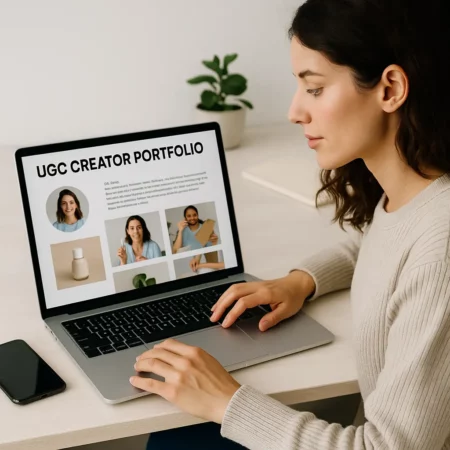
Once you’ve created 3–5 solid content pieces, the next step is to make them easily accessible for brands. Your UGC creator portfolio should be shareable, well-organized, and easy to browse, whether you’re applying to platforms or pitching clients directly.
And no, you don’t need a website to pull this off.
Best Places to Host Your Portfolio (Free or Low-Cost)
| Platform | Why It Works |
|---|---|
| Google Drive | Simple, easy to organize into folders; perfect for quick sharing |
| Notion | Clean, customizable pages with room for bios, links, and samples |
| Canva Website | Drag-and-drop designs for polished, one-page portfolios |
| Adobe Portfolio | Great for those with Adobe Creative Cloud; minimal and modern |
| Passionfroot | Designed for creators; includes pricing packages and contact forms |
How to Structure Your Portfolio
Regardless of where you host it, aim for this layout:
Intro or “About Me” Section
Brief bio with your niche, content style, and turnaround timeVideo & Photo Samples
Organize by content type or client type (demo, testimonial, unboxing, etc.)Contact Info or Call-to-Action
Add your email, booking link, or embedded form to get hired fasterOptional Add-Ons
Rate card or service packages
Client testimonials (once you have them)
Link to social media or TikTok reels for bonus credibility
Make It Easy to Share
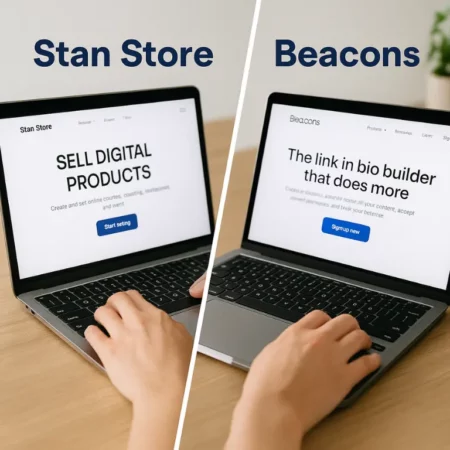
Create a short, clean link to your portfolio using:
Use this portfolio link when applying on platforms like Trend.io, JoinBrands, or Upwork, or when pitching brands directly on Instagram or via email.

Step 5: Write a Simple, Strong Creator Bio
Your creator bio is often the first thing a brand reads when reviewing your portfolio. It’s your quick pitch, your chance to convey who you are, what you do, and why you’re a great fit for their content needs.
It doesn’t need to be long. In fact, the best bios are short, clear, and focused.
What to Include in Your UGC Bio
Your Niche – What industries or types of brands you work with
Your Content Style – Casual, educational, high-energy, etc.
Your Deliverables – Videos, photos, voiceovers, testimonials
Your Turnaround Time – Optional but adds professionalism
Your Personality – Keep it friendly and real
Example UGC Creator Bio for Beginners
“Hi! I’m a UGC creator specializing in beauty and wellness brands. I create short-form videos that feel natural and relatable. Perfect for TikTok, Instagram Reels, or product pages. My style is soft, educational, and focused on showing how real people use real products. I deliver polished content with quick turnaround and love collaborating with mission-driven brands.”
Tips to Make Your Bio Stand Out
Avoid overused phrases like “passionate content creator” be specific
Use the same tone you’d use in your videos (authentic and on-brand)
Consider adding a sentence about your experience or results once you’ve completed a few gigs
If you’re multilingual or have a specific skill (like editing or voiceovers), include it!
Bonus: Use Keywords in Your Bio
On platforms like Fiverr, Upwork, and Passionfroot, your bio can help you get discovered in search. Naturally include keywords like:
ugc content creator
product demo videos
short-form brand content
Step 6: Include a Clear Call-to-Action
You’ve shown your skills, your style, and your story, now it’s time to invite the brand to work with you.
Every effective UGC creator portfolio ends with a strong, visible call-to-action (CTA) that tells brands exactly what to do next.
Why a CTA Matters
Even if a brand loves your work, they may move on if they can’t figure out:
How to contact you
What services you offer
What your process or pricing looks like
Your CTA removes the guesswork and helps you get hired faster.
What to Include in Your CTA Section
✔️ Contact Info:
Email address or embedded contact form✔️ “Work With Me” Button or Link:
Directs to a booking calendar, email, or service page✔️ Optional Add-Ons:
Rate card (simple PDF or Canva doc)
Pre-built packages for platforms like Passionfroot
Social proof: Links to testimonials or case studies (if available)
Example CTA Section (Text Only)
Let’s Work Together!
Ready to create scroll-stopping content for your next campaign?
✉️ Email me at [email protected]
📄 Download my UGC rate sheet
💬 Or send me a DM on Instagram @yourhandle
Recommended Tools to Create a CTA Section
Canva – Build a branded rate sheet or pricing graphic
Passionfroot – Accept bookings and inquiries
Tally – Create simple embedded contact forms
Linktree – Great for combining links if you don’t have a site
Step 7: Update It Often and Use It Strategically
Your UGC creator portfolio isn’t a “set it and forget it” asset. It’s a living, evolving showcase of your talent and if you want to keep landing better, higher-paying gigs, you’ll need to keep it fresh.
The more relevant your portfolio is to the current trends and brands you’re targeting, the more likely you are to get hired.
How Often Should You Update Your Portfolio?
Every 1–2 months is a great rhythm, especially as you gain experience
Update after every notable project, especially if you’ve worked with a recognizable brand
Replace weaker samples as your editing, lighting, and delivery improve
Tailor It for Each Opportunity
Sending the same generic portfolio link to every brand isn’t always effective. If possible:
Rearrange your content to highlight niche-relevant work
Customize the bio or intro for a specific client
Use custom folders or pages (e.g., a Google Drive folder labeled “Skincare Samples”)
Where to Use Your Portfolio
When applying to UGC creator platforms like Trend.io, Billo.app, or JoinBrands
In your Fiverr or Upwork service listings
As a clickable link in your Instagram or TikTok bio
In cold outreach DMs or emails to brands
In relevant Facebook groups or Discord servers
👉 Not sure where to find paid UGC jobs? Check out our full list of Top 10 UGC Creator Platforms to Land Paid Jobs Fast in 2025
Final Reminder:
Your portfolio is more than a digital resume, it’s a strategic sales tool. When you treat it like a professional asset and update it regularly, you position yourself as someone brands can rely on for content that performs.
UGC Portfolio Template & Checklist
Need a quick-start structure to follow? Use this template and checklist to create a professional UGC creator portfolio that gets you hired fast.
UGC Creator Portfolio Template Layout
Page 1: Bio & Introduction
Short creator bio (niche, style, content type)
Optional profile photo or logo
“Work With Me” or contact call-to-action
Page 2: Video Samples
Embed or link to 3–5 sample videos
Product demo
Testimonial
Unboxing
Lifestyle clip
Voiceover tutorial
Page 3: (Optional) Photo Samples
Showcase high-quality stills, product flatlays, or brand-style imagery
Page 4: Services & Pricing (Optional)
List of deliverables (e.g., 1 video, 3 photos, turnaround time)
Rates or custom quote prompt
Booking button or contact form
Page 5: Contact Information
Email address
Social media links
Optional link to full media kit or Linktree
UGC Portfolio Checklist
Before you share your portfolio, make sure you’ve covered the essentials:
Bio clearly states your niche, tone, and content type
3–5 solid examples of content types brands love
Clean, organized layout (easy to skim + mobile-friendly)
CTA button or contact section is visible and working
Links and videos are accessible and properly formatted
Rate sheet or service options (if you’re ready to list them)
Portfolio feels cohesive and on-brand
Updated with your most recent or best-performing work
Saved as a public link (Google Drive, Notion, Canva, etc.)

Our Final Thoughts: Your Portfolio Is Your Key to Getting Hired
A strong UGC creator portfolio isn’t just a nice-to-have, it’s the most important tool you have when it comes to landing paid content gigs in 2025 and beyond.
It’s your digital storefront, your audition reel, and your credibility signal, all rolled into one. And the best part? You don’t need a huge following, expensive gear, or past clients to get started. Just a bit of strategy, your phone, and a few well-executed content pieces.
By following the 7 powerful steps in this guide, you’ll be equipped to:
Choose the right niche and content style
Create scroll-stopping videos that brands love
Present your work professionally and confidently
Apply for jobs with a portfolio that actually gets noticed
If you’re still figuring out where to apply or how to find paid opportunities, make sure to check out our Top 10 UGC Creator Platforms to discover the best places to submit your new portfolio.
And if you’re just beginning your journey, don’t miss our complete beginner’s guide: What Is a UGC Creator? How to Start, Get Paid, and Thrive in 2025
You’ve got the skills. Now you’ve got the portfolio. All that’s left to do… is hit send.